| Rating: | 3.5 (24 votes) |
| Played: | 12401 times |
| Developer: | Azgames |
| Released: | 24 Aug 2026 |
| Classification: | Casual Games |
Flip Or Fail is an arcade stunt physics game. You hold the mouse button; the character crouches down to build up momentum. Release it, and it springs up. Hold it down again to spin. Release at the right moment and land cleanly. Release just a second too late. Ragdoll. Game over. I will explain the entire gameplay in detail below.
This is where Flip Or Fail sets it apart from typical flip games. It's not a single mode that ends there.
Three modes. A clear progression system. Players will never be short of things to do next.
Unlockable content includes 5 maps (Harbour, School, Rooftop, Site, Course) and 14 characters unlocked through milestones, accumulated stars, and daily logins. Enough to keep you motivated for the long term.
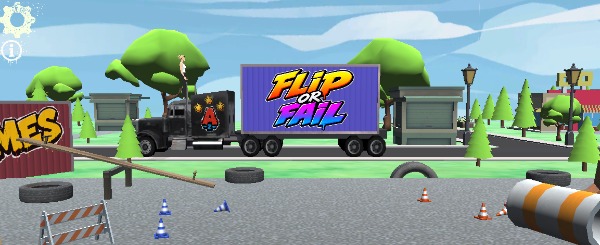
This isn't a game of continuous clicking. The problem lies in the final step. More rotation means less time to aim for the landing angle. Each additional rotation is an added risk. Not everyone realizes this from the start, and that's why most first attempts end in a ragdoll crash.
Camera. Flip Or Fail allows you to zoom in or out depending on the jump. With a distant platform, extend the camera to get a clearer view of the landing point. With a short rotation, zoom in for more detailed control. Most new players keep the camera at the default setting throughout, and that's why they often land off-target even when timing is correct.
Before adding any spins, determine exactly where the character needs to land. Without a clear target, every flip is a matter of chance.
Hold the mouse longer for more force. But too much height prolongs the fall in an unpredictable direction. Just enough force to reach the platform is usually easier to control than maximum force.
Many small spins in quick succession are easier to control than a long, uninterrupted sequence. Holding the mouse too long at once is the most common reason for a ragdoll.
The moment you release the mouse to stop the spin should always be before the character is near the ground. Releasing half a second too late will not allow enough time to adjust the angle. This reflex requires practice. There are no shortcuts.
Each failure shows how many spins that jump actually allowed. Observe the angle of fall and the character's landing position. That information is useful for the next attempt.
You don't need perfect reflexes from the start; you just need patience to read each ragdoll and try again. Flip Or Fail Free Game teaches you that stage by stage.
Casual Gamesonline